Skip to content
renderStacks 4.44
4.44 – 8/2/2026
- New – Local render log. The Render Check dialog now has a “Save local render log to file” option. Each pass writes its own log file in real time, so the log survives even if 3ds Max crashes mid-render. The log includes pass activation, camera/resolution/frame range/output info, per-frame render times, and render start/end with durations. Each line is timestamped with the elapsed time since the previous entry.
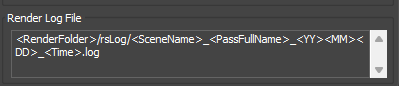
- Log file name is built with tokens, configurable in the new “Render Log File” group in the Preferences dialog. Default:
<RenderFolder>/<SceneName>_<PassFullName>_<YY><MM><DD>_<Time>.log
- “Log Pass Activation” option controls whether the pass activation details are included in the log file.
- New path tokens:
<YY> (2-digit year) and <Time> (HHMMSS).
- New – “Overwrite Existing Files” option in the Render Check dialog. When enabled, the “File Exists – Confirm overwriting” prompt is automatically confirmed during local renders.
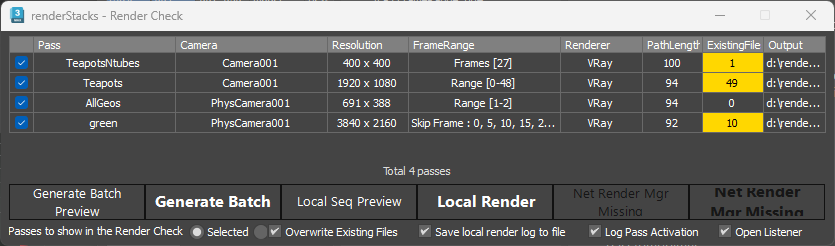
- New – “Open Listener” option in the Render Check dialog. Opens the MAXScript Listener when any render/preview/batch button is pressed.
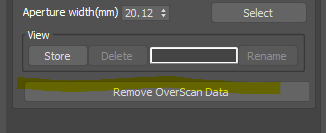
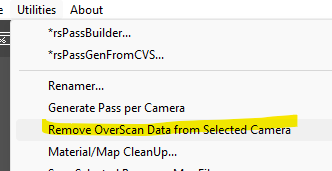
- Improved – “Remove OverScan Data” button added to the Camera pmodifier, and as a Utilities menu item. Removes any overscan FOV or focal length data left on the assigned camera after a render.
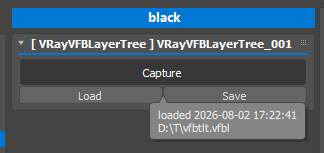
- Improved – The VRayVFBLayerTree pmodifier now records how its layer tree data was created: captured from the VFB or loaded from a file (with the source file name), and when. The info is shown as a tooltip on the Capture button.
- Improved – When a local render fails or is interrupted, the pass is now reported as FAILED instead of being counted as rendered.
- Improved – Security hardening for scene data handling.
- Fixed – DataGridView error (“rowIndex must be a non-negative value”) that could appear when a list was filled, in the pmodifier panels, the Render Check dialog and the Set Editor. This started with 3ds Max 2027.2.
- Fixed – “DataGridViewComboBoxCell value is not valid” error dialog when a stored value was no longer one of the available choices, for example an object set type or a layer name that had been renamed or removed. The stored value is now shown in the dropdown instead of raising an error.
- Fixed – Iterative (ActiveShade) rendering stayed switched off for the rest of the session if a pass failed to activate during a render. Render settings are now restored on every exit path.
- Fixed – A locked VRayVFBLayerTree or Maxscript pmodifier disabled the Renderer pmodifier panel instead of its own, and those two panels were never locked.
- Fixed – Spelling in several messages and labels (“Submitting”, “successfully”, “Performing”, “file is missing”, “executable file”).
Post Views: 66